Archive for the ‘Equipment-POS’ Category

Magtek Qwickpay Mobile Review

Wednesday, May 16th, 2012

Qwickpay is a mobile POS application offered by Magtek, manufacturer of card readers. It’s a smart play by Magtek to ensure market share in the fast growing mobile payments market.

PRODUCT OVERVIEW

COMPATIBILITY 5/2012

  • iPhone 4, iPhone 3GS, iPhone 3G, iPod Touch and iPad compatible

FUNCTIONALITY

  • The POS software will auto populate sales tax and tip if you like as a standard setting.
  • Supports sale, void, refund and “protection code” which is for consumers who have a QwicKey.
    • Presumably consumer adoption will increase the key to make this to make this feature useful. (Consumers purchase the QwicKey service, then generate one time use Qwick Codes [Formerly Protection Codes]. These one-time codes can be redeemed by a PCI compliant, ROC certified Payment Processor. A Merchant and online store can accept a Qwick Code in lieu of cardholder, personal account data.
  • Supports signature capture and email receipt.
  • Includes a virtual terminal, however it is not recommended that transactions are key entered.
  • magtek qwickpay mobile payments
  • magtek qwickpay mobile payments

UNIQUE CLAIMS ABOUT THIS MOBILE PAYMENT SOLUTION:

  1. Uses MagnePrint®,a dynamic card authentication technology based on the unique physical properties of the magnetic stripe, also referred to as the stripe’s digital identifier or (DI). It provides validation that the card itself is genuine and that its encoded data has not been altered.
  2. Immediate encryption (Triple DES) of all cardholder data with a derived unique key per transaction (DUKPT).
  3. Immediate tokenization or “substitution” of all cardholder data

THE INSIDE SCOOP- WHAT YOU REALLY NEED TO KNOW

  • Users: This is really a one user system. If you wanted two users or more, you’ll need to tag to multiple merchant accounts, or at the very least, need a unique merchant account TID for each one. If the user is no longer authorized, you’ll have to get the device back or shut down the TID.
  • Does it support level 2 data as specified in the FAQ? Yes, but the use won’t know when they need to enter extra data, or what that data is, so chances are, they’ll never qualify for lower level 2 data on business cards.
  • Key entered: It is clearly NOT recommended, as indicated by large red print, for key entered transactions for a number of different reasons.
  • MagnePrint- How much safer is this than simply verifying the last 4 digits from the front of the credit card?
  • Encryption- there are a number of different ways to protect the cardholder data. This is a solid method, but not the only valid solution.


COMPARE TO CENPOS ENTERPRISE MOBILE:

There are numerous differences and here are a few highlights:

  •  MANAGE FEES PAID. CenPOS dynamically identifies the card issuing bank and method of input (swipe or key enter) and automatically collects and delivers the optimal data for lowest risk and interchange rate. QwickPay does not do this.
  • MANAGE USERS/ RISK: CenPOS admin can manage an entire workforce in the field to accept payments and change permissions or access remotely. Users have the same priviledges on the virtual terminal.  QwickPay does not allow for multiple users or user management. Additionally, CenPOS uses a variety of proprietary and merchant managed rules to manage risk, including automatically declining certain transactions, remote supervisor approval option, and automated email alerts.
  • MANAGE BUSINESS: CenPOS reporting is extensive and easy to use. Qwickpay is limited and you even have to select which card types (Visa, mastercard etc) you want for each and every transaction.
  • BUSINESS EFFICIENCY: CenPOS uses a single hub to accept payments from all sources- web, mobile, retail, kiosk etc, manage users, and access reports. QwickPay has none of these capabilities.
  • COSTS: Qwickpay is cheaper with a one time fee. CenPOS charges per transaction fees, and has a $50/mth minimum.
  • OTHER: CenPOS does not currently calculate tax & tip.

I RECOMMEND QWICKPAY FOR:

  • YES. One man businesses.
  • YES. Businesses with a single person on the road that accepts payments.
  • LIMITED. Businesses that are primarily card not present, but which occasionally would like to get a card swiped while on the road to mitigate risk. Note: this would be for a card not present account with card not present rates, but you’d benefit from a signature on file and some fraud protection.
  • NO Businesses with more than one person who would need, or with a mix of card not present and card swiped transactions.

COST

  • Qwickpay prices are determined by resellers.
  • 3D Merchant price for QwickPAY (Apple) – one time charge of $90. – includes iDynamo SCRA*. No transaction or other fees.
  • 3D Merchant price for QwickPAY (Android)  – one time charge of
    $130. – includes application, set up, and BulleT SCRA. * No transaction or other fees.
    *  Requires new merchant account with guaranteed price match to your existing merchant account.

WHERE TO BUY

  • Qwickpay is sold through limited authorized resellers, usually payment processors. Call yours to ask for pricing and availability.
  • A merchant account is needed.
  • Contact 3D Merchant Services for QwickPay or CenPOS

5 Specific Solutions to Recurring Billing Problems

Tuesday, April 3rd, 2012

Are you worried about fraud or PCI Compliance issues? Looking for ways to decrease your workload? Harnessing the power of CenPOS, a universal payment gateway, stored payment options will save you hours and hours of time, reduce the scope for PCI Compliance, and mitigate risks associated with Card Not Present (CNP) Transactions.

WEBINAR DETAILS:

Are you worried about fraud or PCI Compliance issues? Looking for ways to decrease your workload? Harnessing the power of CenPOS, a universal payment gateway, stored payment options will save you hours and hours of time, reduce the scope for PCI Compliance, and mitigate risks associated with Card Not Present (CNP) Transactions.

WEBINAR DETAILS: 5 Specific Solutions to Recurring Billing Problems (click to reserve your seat)

When: April 17, 11:00 a.m-noon EST.

Who Should Attend: If your company stores credit card or check information for any type of recurring billing, you should attend if you:

  • Accept credit card or check payment information via phone or fax
  • Key enter transactions
  • Set up or modify scheduled payments for customers
  • Supervise any of the above
  • Reconcile, review or create related financial reports

What You’ll Learn:

  1. Four Rebilling Options: Repeat sale, Recurring, Installment, and Variable Installment. Best practices to save time, improve collections and manage your payment charge schedule for any situation!
  2. Fraud check: How to validate a customers credit card before securely storing for recurring sales.
  3. Authorizaton Forms: How to create customer credit card authorization forms, without storing exposed credit card numbers, that meets newer card association requirements to protect against disputes.
  4. Encrypt Payment Data: Two ways to create secure ‘tokens’, unique alpha numeric payment ID’s that drastically reduce keystrokes needed to bill your repeat customer again.
  5. Rebilling Customers: How to easily retrieve tokens.

Interact:

  • Send questions in advance
  • Chat- ask questions during the conference
  • Live Q&A
  • This is a live demo, not a slideshow.

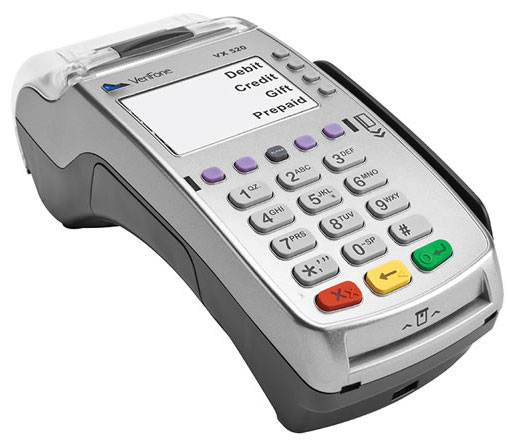
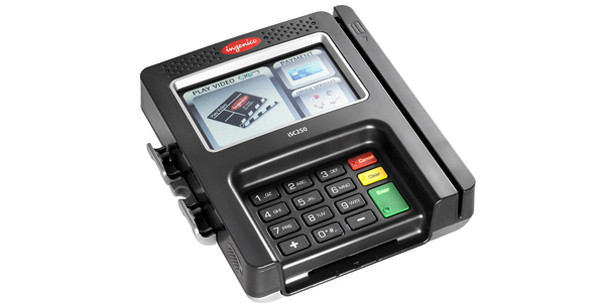
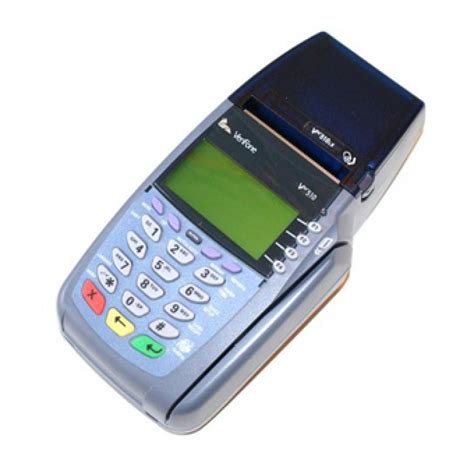
Verifone Omni 3740 and Omni 3750 end of life 2012. What should you replace a multi-merchant terminal with?

Thursday, March 29th, 2012

The Omni 3750 is a multi-merchant capable machine, often used by businesses that had one account for retail and one for MOTO. Before jumping into the next dial up or even IP multimerchant terminal, it’s time to review the related credit card processing landscape. The primary purpose of separate retail and MOTO merchant accounts has been to help larger merchants qualify for lower interchange levels for each type of transaction. This method has historically been particularly important for wholesale suppliers in the construction industry that have a storefront, plus a base of commercial accounts, most of whom do not pay at the store. Without two merchant accounts, the cost of card not present transactions cost up to 1.05% extra on a retail account.

INTERCHANGE QUALIFICATION CHALLENGE: Proper presentment of transactions regardless of method of entry (key entered or swipe) or card type (different requirements for data to submit). Proper presentment is getting more complex as regulations are changing more rapidly in the past and the card networks & card issuing banks are creating new rules making it harder to qualify for the best rate for any given card type. For example, our internal spring bulletin explaining fee changes was 32 pages long versus a more typical 2-3 pages.

ADDITIONAL CONCERN: New Fixed Acquirer Network Fee (FANF). Visa’s Card Present Fee is fixed based on the number of locations. For Card Not Present (CNP), the fee is based on monthly sales volume, and is much higher than card present. Each merchant account is counted as a location. EMV (contactless) is mandated for all merchants by 2015; Visa is offering incentives to merchants who implement beginning in the 3rd quarter of 2012.

ANALYSIS: It is my firm belief that it will be impossible for merchants as described above to continue to qualify for the best interchange rates with standard dial up terminals because of the continual need to identify needs, update programming and train employees. A manual process just won’t work. As an interchange expert, even I can’t keep up with the rules to manually oversee merchant accounts without an automated system.  A host based solution is the only viable long term solution for merchants who want to control fees.

SOLUTIONS:

If you want to stick with a multi-merchant terminal:

  • FD300 TI (PCI) Dual Com, First Data only, $499
  • FD300 Wifi (PCI), First Data only, $695
  • Other brands may be available, check manufacturer web sites for current models.

For a host based solution:

  • CenPOS virtual terminal with automated switching. With a single merchant account, CenPOS will identify the card issuing bank, requirements needed to qualify you for the lowest interchange for that card, and automatically present properly as retail or card present with all the right data. Benefits:
  1. Interchange optimized, employee mistakes eliminated
  2. Single merchant account- potentially reduce statement fees, regulatory fees, PCI compliance fees, and higher CNP FANF fees
  3. Always current with latest federal and state regulations


Limitations:  As of this writing, EMV is not yet approved on CenPOS, but is anticipated by July 1 when Visa’s incentives begin; hardware manufactures are still working out reliability issues with some new models.  In the interim, merchants may wish to use inexpensive secure card readers for low transaction environments, or older model signature capture units that will have to be replaced at a later date.
magtek card reader


Paypal Virtual Terminal fees increasing April 2012 buried in Paypal here announcement

Friday, March 16th, 2012

For Paypal Virtual Terminal and Paypal Payments Pro users it may be time to change vendors. According to Paypal, key entered fees will be increasing to 3.5% April 15. Ecommerce fees will be the same. The only time 2.7% applies is for swiped transactions.

I stand by my earlier comments here http://tinyurl.com/6np9tac . ACH, check, credit all good. So here are some of the negatives regarding the Paypal here release for non-SOHO.
1. Fees. Anyone with sizable volume (let’s just use $1M annually for convenient $ amt) has an effective rate far less than 2.7% all in, even for card NOT present, and we’re talking about retail swipe with this.
2. It’s not actually ready yet. Get on the list.
3. Funding- Paypal transfer to your bank account is currently an inconvenient manual process that takes 3 business days, plus fees are netted per transaction; up to 6 days for checks. Compare to standard merchant account with 1-2 days automatic ACH deposit and fees paid monthly.

No information yet on how this will impact non-profits.

For businesses over $1M in annual processing, contact us for alternative solutions.

New Authorize.net Automated Recurring Billing (ARB) Reporting Capabilities

Wednesday, March 14th, 2012

16 February 2012, Authorize.net: We are pleased to announce that we have released new reporting capabilities for merchants using our Automated Recurring Billing (ARB) service. Merchants can now use the new Transaction Status tab on the Monthly Subscription Status Dashboard to see how many ARB transactions have been or will be processed in a given month, or anytime within a 12-month timeframe. The report only pulls recurring billing transactions and now includes detailed ARB payment information, such as payment number, subscription ID and the date the actual payment was submitted for authorization.

For merchants to run the report, they need to log into the Merchant Interface and click Tools from the main toolbar. Then click Recurring Billing to get to the dashboard where they can simply click the new Transaction Status tab and select a timeframe from the Month dropdown, or click View Transaction Status Report from the Search and Reports section.

We hope this new report will better help your merchants manage their recurring billing transactions.

How do I install and set up the FD200ti?

Monday, March 12th, 2012

The FD200ti is a terminal for First Data merchant accounts only. It has a built in check reader and ports for USB, phone, and ethernet are standard. A pinpad for pin debit transactions is optional.

Here is the official First Data Quick Set up Guide, It’s not the full manual, but will help you get started.  http://www.firstdata.com/downloads/marketing-merchant/FD200Ti_Set_up_Guide.pdf


Is the fd200ti the right solution for your condo association? If your goal is to eliminate checks and cash, then the answer is no. A more appropriate solution is probably a card reader with virtual terminal that will store card data for recurring billing, or  EBPP to send invoices and collect payments. This is especially relevant for condos with multiple properties that are frequently not on the premises.

See also related article: First Data FD200Ti Terminal price review

CenPOS Virtual Terminal update – Historic Inquiry

Monday, February 27th, 2012

CenPOS launched a virtual terminal update last week that includes a change how to research historical data. Use the reprint feature for all transactions within 90 days. Reprint includes every attempted transaction, whether it was approved or not. Use the new Historic Inquiry for transactions between 90 days old and 7 years old. This report applies to credit card processing only, not check processing.

About CenPOS : “Creating efficiencies through payment innovation”

Founded in 2009, Miami-based CenPOS is a payment technology provider committed to providing its customers and partners with innovative solutions for today’s rapidly evolving consumer payment choices. CenPOS is an intelligent payment-processing network that streamlines the payment experience for businesses and consumers by using state-of-the-art technology to replace inefficient, outdated payment systems.

CenPOS sales: Christine Speedy direct (954) 942-0483
CenPOS Sales Contact

Authorize.net data retention -download before lost

Tuesday, February 14th, 2012

Reminder for Merchants to Download Transactions 14 February 2012

Important: On February 21, 2012, all your merchants’ transactions from 2009 will be permanently archived and no longer accessible through the Merchant Interface.

Authorize.Net retains your merchants’ transaction history for a minimum of two years, which is accessible though the Merchant Interface. As a standard business practice, we highly recommend that your merchants download and save their online transactions on an annual basis. That way the data will be available for their records, even after it has been archived.

For detailed information on how to search for and download transactions within a specific date range, please refer your merchants to the Download Transaction File Guide.