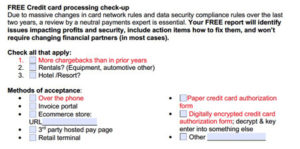
Businesses are changing the way they interact with customers to reduce both employee and customer exposure due to the Covid-19 coronavirus crisis. Accepting payment over the phone and delivering to cars is growing. However, there are risks and costs associated with this that can be avoided. A combination of text, chat, and artificial intelligence can dramatically improve customer engagement and satisfaction while driving down costs and increasing revenue. We put this all together with express pay checkout for a ready-to-go solution to transform operational efficiency and drive profitability virtually overnight.
FAST HELP NOW: Stop taking cards over the phone and start getting paid remotely with a one-way text or email. You’ll use the platform to send a simple request for payment or you can optionally upload an invoice. I just fixed your Covid-19 pay over the phone problem to instantly save you time and money, while improving security.
MANPOWER PROBLEMS: Working with fewer employees, whether to save money due to declining sales resulting from Covid-19 economics, or to adjust for family needs and illness, can lead to customer service issues. Longer hold times leads to even more phone calls, messages and emails as customers desperately search for answers. Takeaway: Studies show a 48% decrease in customer care costs with our recommended automation solutions. It takes just a few seconds to change customer status to ‘ready for pick up’, generating an automated text that will collect payment. That’s way faster than getting card data over the phone.
CREDIT CARD PROCESSING FEES: If your business traditionally accepts cards in person, then the merchant account is set up for RETAIL. When the acquirer does not receive EMV or swipe card data, the transaction is downgraded to the worst rate possible. Timing couldn’t be worse with new higher rates imminent. Small Business credit transactions failing to qualify for Custom Payment Service (CPS) will be assessed the Non-Qualified interchange rate of 3.15% + $0.20 effective April 18, 2020. That’s cost plus there are other fees on top of that. Regulated debit will still be .05% regardless of payment acceptance method. The Fix: Our recommended solution improves credit card rate qualification; merchants can qualify for lower rate using our express checkout vs over the phone, and fraud liability for ” it wasn’t me, I didn’t authorize” shifts to the issuer.
CUSTOMER SATISFACTION: As time goes on, people holed up at home are bound to get more anxious and testy. Nobody likes giving their card number over the phone so now you’ve got an unhappy customer regardless of what you do. They’re on their phones texting all day, and calling to sit on hold with you is annoying. Employees often resort to using their own phone devices with no oversight, creating potential liability problems. The Fix: Converse with them the way they want and customer satisfaction is proven to soar. Use a cloud platform from any device so all data is secure and compliance is managed automatically. Our recommended solution ensures texting compliance and creates on-demand searchable records. Additionally, the one click yes or no end of service satisfaction survey enables management to instantly identify problems and address them accordingly.
HOW IT WORKS FOR MANAGEMENT OVERVIEW: Add users, assign users to roles, modify existing automated message templates (or make new ones), set up hours of business, set up alerts; users can login via computer, tablet or phone app. Add a promotion and one question survey if desired. Let the automation begin!
SECURITY AND COMPLIANCE: The last thing I’d want any business to do is have employees taking card data over the phone and then key enter it into something else. There are too many things that could go wrong. One mistake and a data breach or disgruntled employee could put you out of business. The Fix: Our recommended solutions remove employee access from cardholder data and customer self-checkout is proven to be far more secure. Compliance with the latest credit card processing rules is automated. This is not the case with all remote payment solutions, many of which have not kept up with the onslaught of new card processing rules (not the same as PCI compliance), especially for storing and using stored cards. I don’t care how big they are or how recognizable their name is, many solutions are not compliant today.
DRIVE THROUGH PICK UP: A parent pays for their kids car repair. A friend wants to pick up a pet for their elderly neighbor. No problem. During checkout, your customer can designate things like a pick up time, name of pick-up person, and even add details about the car that will be picking up.
BEST USE CASES: Veterinarians, car service, truck service, anything where something is dropped off and then needs to be picked up later. Animal hospitals can deliver instructions, photos, results etc and reduce or even eliminate phone time. Restaurants may have specialized software that meets needs so I would look there first. We focus on businesses with sales are over $1M annually.
FAQ: Can I use my same merchant account? Yes. Do you offer low cost merchant accounts? Yes, submit your statements for a comparison. How do you reduce my fees if I keep the same merchant account? Proprietary patented technology dynamically optimizes every transaction to mitigate risk and qualify for the lowest fees. What payment types are supported? Paypal, Visa, MasterCard, Discover, American Express, ACH/echeck and more. Is it HIPAA compliant? Yes. What if my customer insists on paying in person? No problem. Just mark as paid when they come in. How long does it take to get set up? Usually one business day turnaround once we receive your paperwork, though it can vary. How easy is it to use? We like both our users and customers to have an ‘Apple-like’ experience; just login an go; self-serve and assisted remote training is available. How much does it cost? We have two price plans depending on your business type. Most customers are more profitable using our system so any fees are entirely offset by credit card fee savings, labor savings, and increased revenues. How long is the contract? Month to month; if you don’t like it, just cancel. We’ve never had a customer say they didn’t like it and cancel.
GET STARTED: Christine Speedy, 954-942-0483. For a fast, free checkup on your merchant account or to implement our express checkout system, contact us today.